The Fatesight app
Fatesight is a daily guidance app for love, work and the decisions in between, read from astrology, tarot, numerology and your palm. It runs in the browser and goes on the home screen of an iPhone or an Android phone in three taps, with no app store: from there it opens full screen, like any other app.
What it looks like
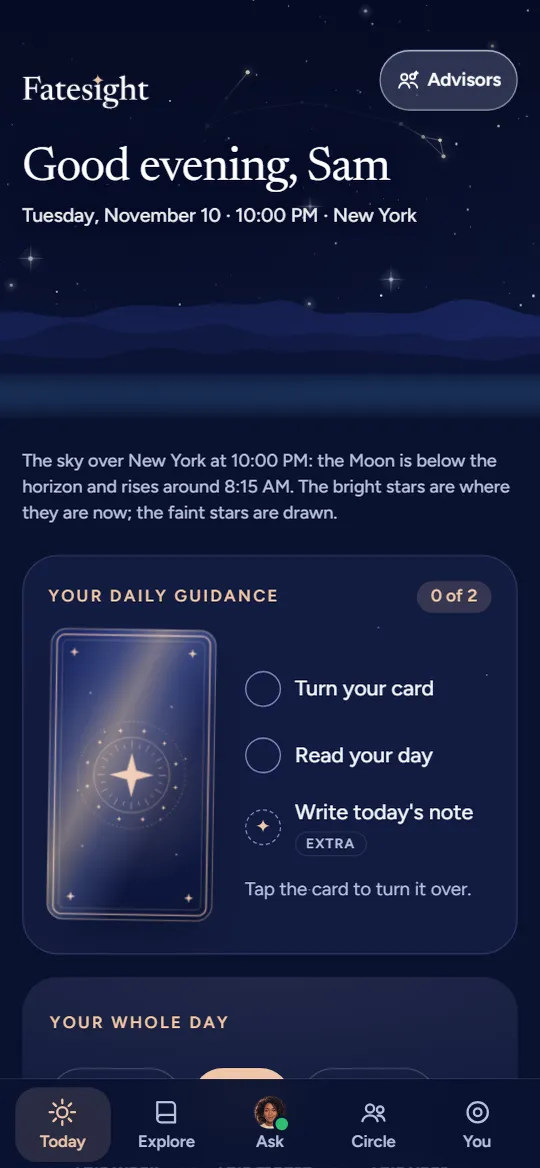
The Today screen: the day's score, the Moon and three moments 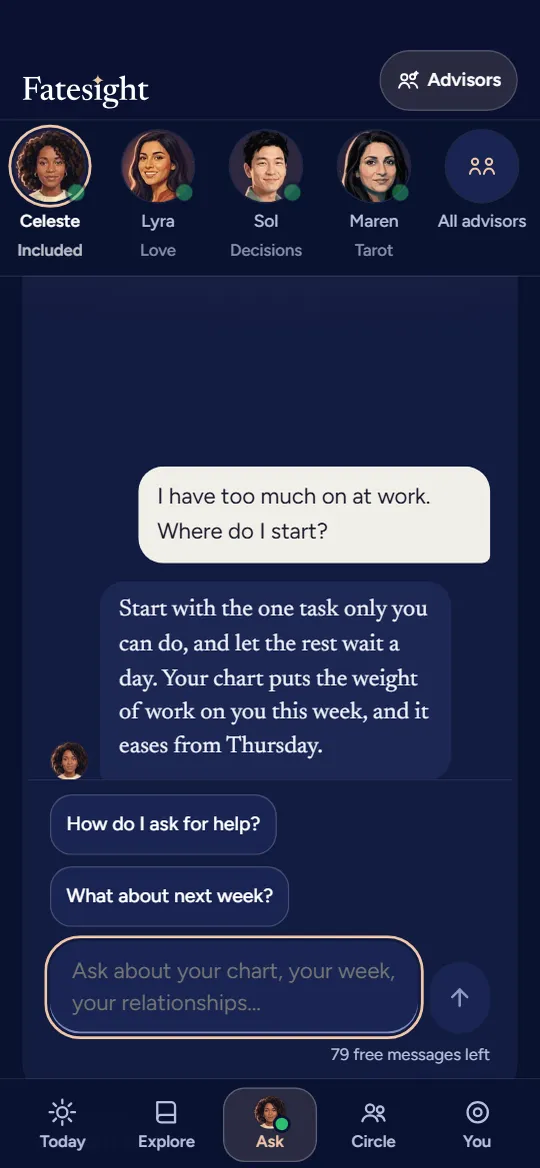
The Ask screen: a conversation with the guide 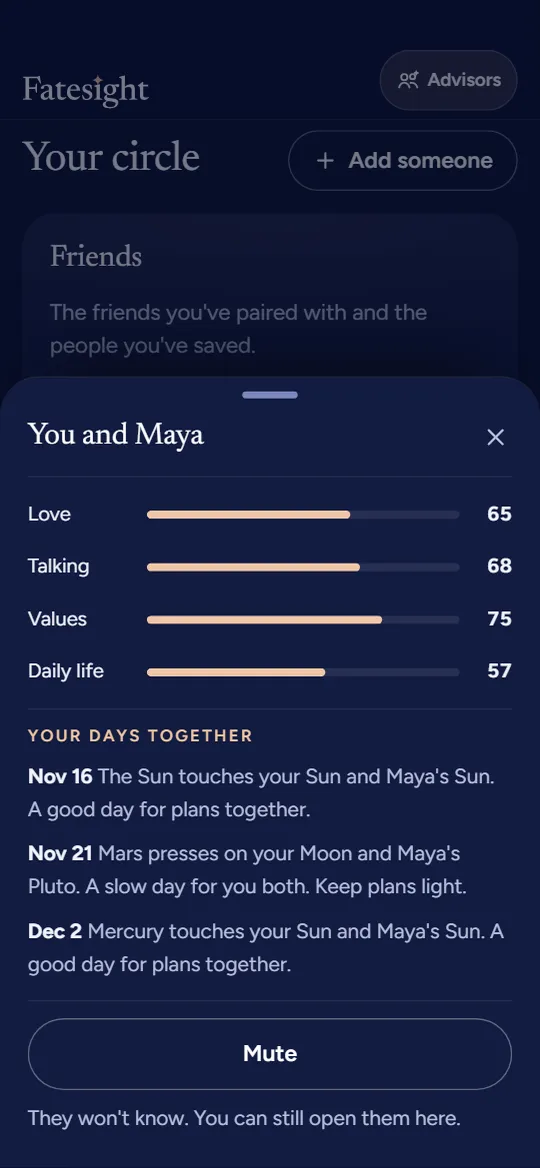
The Circle screen: you and someone you added by their birthday, with a score for love, talking, values and daily life 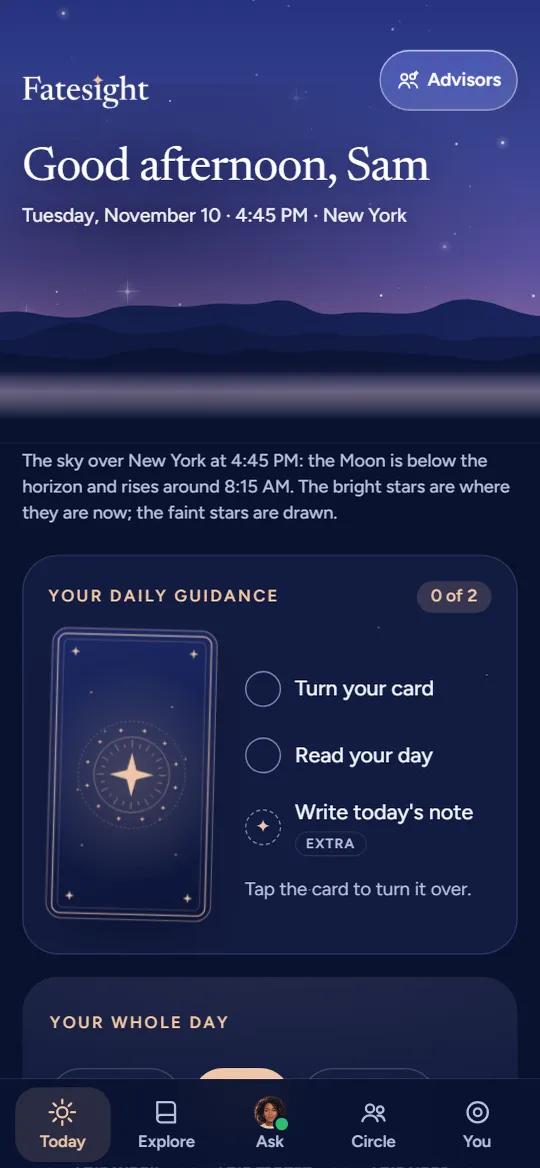
The Today screen at dusk: the sky over New York with Pisces
What is inside
- Today: a card to turn, your whole day for love, work and mood, and the sky over where you are, at any hour.
- Explore: your readings and reports, kept in one place to come back to.
- Ask: questions about your chart, your week or someone in your life, answered in a conversation.
- Circle: the people you add by their birthday, with how you get along and the days that suit you both.
How to get it
The app opens your Fatesight account, and your account starts with your first reading: a few questions, then your account is ready on any device. Already have one? Sign in, then add the app to your home screen as below.
Install it on iPhone
- Open your Fatesight account in Safari.
- Tap the Share button (the square with an arrow pointing up) at the bottom of the screen.
- Scroll down, tap Add to Home Screen, then tap Add.
Install it on Android
- Open your Fatesight account in Chrome.
- Tap Install when the browser offers it, or open the menu (the three dots at the top right) and tap Add to Home screen or Install app.
- Tap Install to confirm.
On a computer
In Chrome or Edge, click the install icon at the right end of the address bar while your account is open. In Safari on a Mac, choose File, then Add to Dock.
The icon then sits with your other apps. It opens straight into your account, full screen, and stays signed in.
Questions about the app
Is Fatesight in the App Store or Google Play?
Fatesight is a web app: you add it to your home screen straight from the browser, and it opens full screen like any other app. There is nothing to download from a store, and it takes up very little space.
Does it work on iPhone and Android?
Yes: on iPhone from Safari, on Android from Chrome, and on a computer from Chrome, Edge or Safari.
Do I need an account?
Yes. The app opens your Fatesight account, which starts with your first reading. Sign in once and it remembers you.
Is it a palm reading app?
Palm reading is one part of it: your palm read from a picture of your hand, beside your birth chart, tarot, numerology and your daily reading.
Free on the site, no app needed
Many of the tools behind the app are free on this site, with no account: